Small Claims Case Intake
Two-page small claims intake: who owes what and why, what has already been tried, the evidence held, and the amount the claimant wants back.
A ready-to-use legal & professional services form for law firms and in-house legal teams: 20 questions, 2 pages, 3 conditional rules.
- Questions
- 20
- Pages
- 2
- Layouts
- classic · card
- Time to complete
- ≈ 6 min
- Conditional rules
- 3
Searches this template answers
- small claims intake form
- small claims case questionnaire
- money claim enquiry form
- debt dispute intake form
- small claims court enquiry form
- unpaid invoice dispute form
Also filed under
Live preview and test console
This is the real form. Answer it to test the flow — nothing is sent or stored.
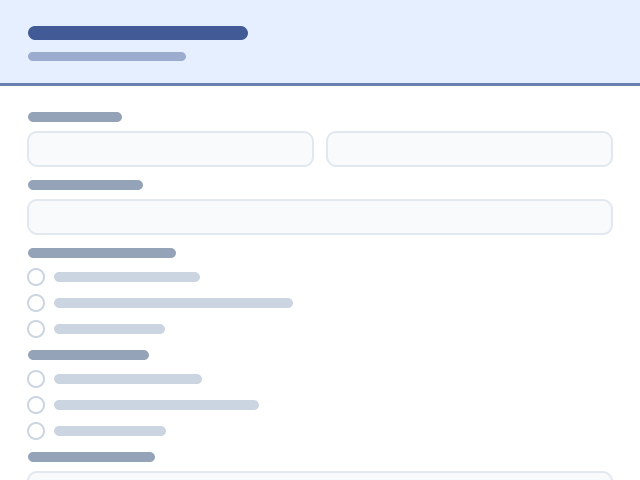
Page 1 of 2 — The dispute
This template runs as a straight sequence — no branching rules.
Compliance checklist
- Payment items priced — passingEvery payment question charges a real amount, so a submission always records a payment.
- Conditional logic resolves — passingEvery rule points at a question or page that exists in this template.
- Financial disclaimer present — passingThis form does not provide financial, tax or legal advice. Any figures shown are indicative only and are not an offer of credit or a guarantee of terms. Please seek advice from a regulated adviser before making a decision.
- Question labels unique — passingLogic and exports address questions by label, so duplicates are ambiguous.
What happens after submit: nothing is stored in this preview. On your own copy, every response triggers an instant email notification and lands in your response dashboard, ready to export or forward.
Happy with it? Take a copy into your workspace — every question, rule and setting comes with it.
Who this template is for
Small Claims Case Intake is built for law firms and in-house legal teams who need to intake a matter with the facts, parties and consent recorded.
- Law firms and in-house legal teams working in legal & professional services.
- Teams who need to intake a matter with the facts, parties and consent recorded without writing code or paying for a custom build.
- Anyone replacing conflict checks delayed by missing intake detail with one structured record per enquiry.
- Respondents are clients and claimants — the form asks them 20 questions across 2 screens.
- Mobile-heavy audiences, thanks to the one-question-per-screen card layout.
Why this form is useful
It removes the cost of conflict checks delayed by missing intake detail and turns each submission into a record your team can act on immediately.
- 13 questions are required, so submissions arrive complete instead of needing a follow-up email.
- It collects a verified email address so replies and confirmations land.
- It captures a phone number for urgent follow-up.
- It accepts a document or photo upload as evidence.
- It pins the request to a specific date.
- It captures a full postal address.
- It allows multiple selections without free text.
- It captures a numeric value you can filter and sort on.
How to use this template
From copy to live form is a few minutes of work, and every step is reversible.
- 1Press “Use this template” — a fresh copy of Small Claims Case Intake lands in your workspace, ready to edit.
- 2Rename or delete any question, and change what is required. Nothing here is fixed.
- 3Open Notifications and add the email addresses that should be alerted on each submission; add an auto-reply to the respondent if the form collects an email address.
- 4Check the upload limits on the file question so respondents can attach what you actually need.
- 5Publish it, then either share the link directly or paste the embed snippet into your site — the embedded form resizes to fit and loads no marketing or advertising trackers.
- 6Watch responses land in Submissions, where you can filter, label and export them to CSV or PDF.
Logic and conditions blueprint
Exactly how this form behaves as it is answered — 3 conditional rules ship with it.
- Features conditional validation: if “Is the other side a person or a business?” is A business, “Business name and trading address” becomes mandatory before the form can be sent.
- Features conditional validation: if “Have you contacted them about it?” is Yes, “What did you send, when, and did they reply?” becomes mandatory before the form can be sent.
- Features conditional validation: if “Has any of it been paid?” is Part of it, “How much has been paid, and when?” becomes mandatory before the form can be sent.
- All 3 rules are editable in the Logic tab, and the built-in checker warns about rules that contradict each other.
About this template
Most small money disputes turn on the same handful of facts: who agreed what, what was paid, what went wrong, and what the claimant has already done about it. This two-page intake asks those in order. The first page identifies the claimant and the other side, whether that is a person or a business, with the address the claim would be sent to, then the amount in dispute and the date it fell due. It asks what the disagreement is about — unpaid invoice, faulty goods, work not finished, a deposit not returned — and for the story in the claimant's own words. The second page covers what has been tried and what exists on paper: letters or messages sent, any reply, whether a payment plan was discussed, whether anything has been paid, and what evidence the claimant holds. Contracts, invoices, photos and message screenshots can be uploaded. A closing question asks what the claimant wants: the money, the work finished, or a written apology. Court procedures, limits and fees for small claims are set locally, so check what applies in the relevant court before filing anything.
What this form asks
Every question is editable — rename it, make it optional, or delete it entirely.
Page 1 — The dispute
- Your full namerequired
- Email addressrequired
- Contact numberrequired
- Is the other side a person or a business?required
- Business name and trading address
- Name of the person, if it is an individual
- Address the claim would be sent to
- Amount in disputerequired
- When was it due, or when did the problem happen?required
- What is the disagreement about?required
- Tell us what happened, in orderrequired
Page 2 — What you have tried
- Have you contacted them about it?required
- What did you send, when, and did they reply?
- Has any of it been paid?required
- How much has been paid, and when?
- Has a payment plan been discussed?required
- What evidence do you have?required
- Upload your evidence
- What do you want to happen?required
- Anything else we should know?
20 questions in total.
Example of a completed small claims case intake
This sample shows how a claimant describes a straightforward money dispute before a case is assessed.
- Your full name
- Owen Pryce
- Is the other side a person or a business?
- A business
- Business name and trading address
- Rowan Joinery Ltd, 8 Mill Lane, Leeds
- Amount in dispute
- 480
- When was it due, or when did the problem happen?
- 12 January 2026
- What is the disagreement about?
- Work not finished properly
- Tell us what happened, in order
- The shelving was fitted crooked and the fitter has not returned two calls to fix it.
- Have you contacted them about it?
- Yes
- What do you want to happen?
- The work finished
Sample data — no real people, addresses or records are shown.
How the form changes as it's filled in
This template ships with 3 conditional rules, grouped into 3 behaviours driven by 3 questions. Everything below is already set up — edit or delete any rule once the template is in your workspace.
Driven by “Is the other side a person or a business?”
- Makes answers required
If “Is the other side a person or a business?” is A business, “Business name and trading address” becomes required before the form can be submitted.
Driven by “Have you contacted them about it?”
- Makes answers required
If “Have you contacted them about it?” is Yes, “What did you send, when, and did they reply?” becomes required before the form can be submitted.
Driven by “Has any of it been paid?”
- Makes answers required
If “Has any of it been paid?” is Part of it, “How much has been paid, and when?” becomes required before the form can be submitted.
Set it up step by step
- 1
Ask for the amount as a number
A numeric field lets you sort submissions by value, which is how most advice services triage this queue.
- 2
Push for the paper trail
The evidence checkboxes tell you in seconds whether a claim is arguable, and the upload field saves a whole round of emails.
- 3
Keep the story field open
Order of events matters more than category here, so let the claimant narrate and classify afterwards.
- 4
State your scope above the form
Say which types of dispute you take and which court area you cover, so people do not queue for advice you cannot give.
Mistakes to avoid
- Quoting court fees or claim limits in the form, when both are set locally and change.
- Asking only for the amount, and not for the date it fell due, which is the fact that drives everything else.
- Treating a nothing-in-writing answer as a dead end instead of a prompt for the messages people forget they have.
What it pairs with
Most teams don't run this form on its own. These are the forms and systems it sits next to.
What to do with the responses
Sort the queue by amount and date due, chase missing evidence with the Client Document Request Form, and confirm in writing what the service can and cannot do next.
Works in both layouts
Forms that overlap this one
These pages cover the same subject ground as the small claims case intake, matched on the words people actually search for.
Landlord Dispute Intake
adviceattorneycasecaseworkercheck
Personal Injury Intake
adviceattorneycasecheckclaim
Estate Planning Intake
adviceattorneycasecheckclient
Family Law Consultation
adviceattorneycasecheckclient
Immigration Consultation
adviceattorneycasecaseworkercheck
Power of Attorney Intake
adviceattorneycasecheckclient
Privacy & compliance
This form collects identity or financial details. Enable encrypted answers on the sensitive fields, avoid emailing full values in notifications, and delete responses once the check is complete.
Frequently asked questions
Does this file a claim with a court?
No. It is an intake form for a firm or advice service. Filing is a separate step through the relevant court, under that court's own procedure and fees.
How is it different from the general legal intake?
The Legal Client Intake Form opens a matter of any kind. This one is shaped around a money dispute — amount, due date, steps taken and evidence held.
Will the form say whether the claim is worth bringing?
No. It gathers facts. Whether a claim is proportionate depends on local limits, fees and recoverability, which a person has to weigh up.
What if the claimant does not know the trading address?
Take the enquiry anyway; a business address can usually be traced from a company register, and the field is there so the gap is visible.
Is the Small Claims Case Intake template free to use?
Yes. You can preview and test Small Claims Case Intake on this page without an account, and take a copy into your own HelloForms workspace on the free plan. There is nothing to install and no card required to publish it.
What does the Small Claims Case Intake template ask for?
It asks 20 questions across 2 pages, 13 of which are required. Every question is listed in full further down this page, and each one can be renamed, reordered, made optional or deleted after you copy the template.
Can I edit the Small Claims Case Intake form after copying it?
Yes — the copy is entirely yours. Change wording, add or remove questions, switch between the classic and card layouts, restyle it to match your brand, and set who gets notified on each submission.
How does the conditional logic in this legal & professional services form work?
3 conditional rules ship with the template: Features conditional validation: if “Is the other side a person or a business?” is A business, “Business name and trading address” becomes mandatory before the form can be sent. Features conditional validation: if “Have you contacted them about it?” is Yes, “What did you send, when, and did they reply?” becomes mandatory before the form can be sent. Features conditional validation: if “Has any of it been paid?” is Part of it, “How much has been paid, and when?” becomes mandatory before the form can be sent. All rules are editable in the Logic tab.
Where do responses to the Small Claims Case Intake form go?
Submissions land in your workspace under Submissions, where you can search, filter, label and export them to CSV or PDF. You can also email a notification to your team on every submission and send the respondent an auto-reply.
Can I embed the Small Claims Case Intake form on my own website?
Yes. Publish the form and paste the embed snippet into any page or share the direct link. The embedded form resizes to fit its container and loads no advertising or marketing trackers inside the iframe.
Can respondents upload files?
Yes. This template includes a file upload question, so respondents can attach documents or photos with their answers. You can adjust the accepted file types and size limits on that question.
Related templates
More forms teams pair with the small claims case intake.
Related categories
- Healthcare, Legal & Specialized templates
- Finance, Insurance & Tax templates
- Education & Schools templates
GDPR Data Subject Access Request Form
Structured DSAR intake with identity verification and a request-type branch for access, correction, deletion or portability.⚖️ Legal & Professional Services14 questionsShort form — 14 questions across 3 pages.View template
Personal Injury Intake
Three-page personal injury enquiry: how the accident happened, injuries and treatment, time off work and costs, insurers and any deadline pressure.⚖️ Legal & Professional Services28 questionsMedium length — 28 questions across 3 pages.View template
Immigration Consultation
Three-page immigration intake: nationality and current status, travel and application history, family and work situation, and the outcome sought.⚖️ Legal & Professional Services29 questionsMedium length — 29 questions across 3 pages.View template
Legal Consultation Booking Form
Paid or free consultations booked with matter type, urgency and fee acknowledgement.⚖️ Legal & Professional Services12 questionsShort form — 12 questions on a single page.View template
Landlord Dispute Intake
Two-page intake for a landlord and tenant dispute: the tenancy details, what the disagreement is about, notices served and what each side wants.⚖️ Legal & Professional Services22 questionsMedium length — 22 questions across 2 pages.View template
Notary Appointment Request
One-screen notary booking: what needs notarising, how many signatures, who is attending, identification they will bring and preferred times.⚖️ Legal & Professional Services15 questionsShort form — 15 questions on a single page.View template