Volunteer Sign-Up Form
Volunteers matched to roles: skills, availability, DBS status and emergency contact.
A ready-to-use non-profit & community form for charities, foundations and community groups: 16 questions, 2 pages, 5 conditional rules.
- Questions
- 16
- Pages
- 2
- Layouts
- classic · card
- Conditional rules
- 5
Searches this template answers
- volunteer signup form
- volunteer application form
- volunteer registration form
- charity volunteer form
- volunteer intake form
Also filed under
Live preview and test console
This is the real form. Answer it to test the 3 conditional rules — nothing is sent or stored.
Page 1 of 2 — About you
Every question on this page is currently visible.
Compliance checklist
- Payment items priced — passingEvery payment question charges a real amount, so a submission always records a payment.
- Conditional logic resolves — passingEvery rule points at a question or page that exists in this template.
- Financial disclaimer present — passingThis form does not provide financial, tax or legal advice. Any figures shown are indicative only and are not an offer of credit or a guarantee of terms. Please seek advice from a regulated adviser before making a decision.
- Question labels unique — passingLogic and exports address questions by label, so duplicates are ambiguous.
What happens after submit: nothing is stored in this preview. On your own copy, every response triggers an instant email notification and lands in your response dashboard, ready to export or forward.
Happy with it? Take a copy into your workspace — every question, rule and setting comes with it.
Who this template is for
Volunteer Sign-Up Form is built for charities, foundations and community groups who need to sign people up and record consent and eligibility.
- Charities, foundations and community groups working in non-profit & community.
- Teams who need to sign people up and record consent and eligibility without writing code or paying for a custom build.
- Anyone replacing volunteer and donor records living in spreadsheets with one structured record per enquiry.
- Respondents are donors, volunteers and beneficiaries — the form asks them 16 questions across 2 screens.
- Mobile-heavy audiences, thanks to the one-question-per-screen card layout.
Why this form is useful
It removes the cost of volunteer and donor records living in spreadsheets and turns each submission into a record your team can act on immediately.
- 10 questions are required, so submissions arrive complete instead of needing a follow-up email.
- It collects a verified email address so replies and confirmations land.
- It captures a phone number for urgent follow-up.
- It pins the request to a specific date.
- Conditional logic hides 5 questions until they are relevant — shorter forms convert better than long ones.
- Splitting the form across 2 pages keeps each screen short and shows respondents how much is left.
- Every response is stored, searchable and exportable, so nothing depends on one person's inbox.
How to use this template
From copy to live form is a few minutes of work, and every step is reversible.
- 1Press “Use this template” — a fresh copy of Volunteer Sign-Up Form lands in your workspace, ready to edit.
- 2Rename or delete any question, and change what is required. Nothing here is fixed.
- 3Open Notifications and add the email addresses that should be alerted on each submission; add an auto-reply to the respondent if the form collects an email address.
- 4Publish it, then either share the link directly or paste the embed snippet into your site — the embedded form resizes to fit and loads no marketing or advertising trackers.
- 5Watch responses land in Submissions, where you can filter, label and export them to CSV or PDF.
Logic and conditions blueprint
Exactly how this form behaves as it is answered — 5 conditional rules ship with it.
- Features advanced show logic: if “Roles of interest” includes Driving, the form dynamically exposes “Driving licence number and insurance confirmation”. Otherwise that question never appears.
- Features conditional validation: if “Roles of interest” includes Driving, “Driving licence number and insurance confirmation” becomes mandatory before the form can be sent.
- Features advanced show logic: if “Working with children or vulnerable adults?” is Yes, the form dynamically exposes “DBS status”. Otherwise that question never appears.
- Features conditional validation: if “Working with children or vulnerable adults?” is Yes, “DBS status” becomes mandatory before the form can be sent.
- Features advanced show logic: if “Working with children or vulnerable adults?” is Yes, the form dynamically exposes “DBS process note”. Otherwise that question never appears.
- All 5 rules are editable in the Logic tab, and the built-in checker warns about rules that contradict each other.
About this template
Matching a volunteer to the right role badly wastes both their goodwill and a coordinator's time, so this form is split so the personal record comes first and the placement questions come second, once trust is established. Page one collects contact and identity details plainly, including an address for anyone whose role involves travel or deliveries. Page two is where fit is decided: roles of interest and availability are asked as checkboxes rather than free text, because a coordinator scanning fifty responses needs comparable answers, not fifty different sentences. Anyone interested in a driving role is asked for a licence number and insurance confirmation immediately, since that role cannot be offered without it. The safeguarding question about working with children or vulnerable adults is asked directly and, when answered yes, opens a DBS status question and a short note explaining the vetting process, so nobody is placed in a sensitive role before checks are complete. References and agreement to the volunteer policy close the form, giving the coordinator everything needed to make a placement decision in one sitting.
What this form asks
Every question is editable — rename it, make it optional, or delete it entirely.
Page 1 — About you
- Full namerequired
- Email addressrequired
- Phonerequired
- Date of birthrequired
- Address
- How did you hear about us?
Page 2 — Volunteering
- Roles of interestrequired
- Availabilityrequired
- Skills and experience
- Working with children or vulnerable adults?required
- Driving licence number and insurance confirmation
- DBS status
- DBS process note
- Emergency contact and phonerequired
- Two referencesrequired
- Agree to the volunteer agreementrequired
16 questions in total.
How the form changes as it's filled in
This template ships with 5 conditional rules, grouped into 4 behaviours driven by 2 questions. Everything below is already set up — edit or delete any rule once the template is in your workspace.
Driven by “Roles of interest”
- Reveals questions
If “Roles of interest” includes Driving, the form reveals “Driving licence number and insurance confirmation”.
- Makes answers required
If “Roles of interest” includes Driving, “Driving licence number and insurance confirmation” becomes required before the form can be submitted.
Driven by “Working with children or vulnerable adults?”
- Reveals questions
If “Working with children or vulnerable adults?” is Yes, the form reveals “DBS status” and “DBS process note”.
- Makes answers required
If “Working with children or vulnerable adults?” is Yes, “DBS status” becomes required before the form can be submitted.
Set it up step by step
- 1
Split personal and placement details across two pages
It keeps the sign-up from feeling like an interrogation before rapport is built.
- 2
Never place unchecked volunteers in sensitive roles
Hold anyone flagged for the DBS question back from children or vulnerable adult roles until it clears.
- 3
Chase references within a week
Waiting too long loses the volunteer's early enthusiasm and stalls their placement.
- 4
Review availability answers before rostering
Matching availability to real shift gaps avoids over-recruiting for weekend slots and under-recruiting for weekdays.
Mistakes to avoid
- Placing a volunteer in a children's programme before their DBS check clears.
- Collecting roles of interest but never following up with an actual rota slot.
- Skipping references because the volunteer seems trustworthy at first contact.
What it pairs with
Most teams don't run this form on its own. These are the forms and systems it sits next to.
What to do with the responses
Verify references and any required DBS check, then confirm a placement and first shift by email within a week.
Works in both layouts
Forms that overlap this one
These pages cover the same subject ground as the volunteer sign-up form, matched on the words people actually search for.
Charity Volunteer Signup & Shifts
applicationassistanceavailabilitycharitycommunity
Quick Volunteer Sign-Up
applicationassistancecharitycommunitydonation
Sign-Up Sheet
applicationassistancecharitycommunitycoordinator
Volunteer Hours Log
applicationassistancecharitycommunitycoordinator
Volunteer Fundraiser Registration Form
charitycommunitydonationfundraisingregistration
Ministry Volunteer Sign-Up Form
availabilitydonationmembershipsignsignup
Frequently asked questions
How long does a DBS check take?
Typically one to four weeks depending on the level required and the applicant's history.
Can someone volunteer while a DBS check is pending?
Only in roles that do not involve children or vulnerable adults; hold sensitive placements until it clears.
Do all volunteers need references?
Most charities require at least one, especially for roles involving trust, cash handling or safeguarding.
What if a volunteer wants multiple roles?
Let them select several on the checkbox list and confirm which one they start with during onboarding.
Is the Volunteer Sign-Up Form template free to use?
Yes. You can preview and test Volunteer Sign-Up Form on this page without an account, and take a copy into your own HelloForms workspace on the free plan. There is nothing to install and no card required to publish it.
What does the Volunteer Sign-Up Form template ask for?
It asks 16 questions across 2 pages, 10 of which are required. Every question is listed in full further down this page, and each one can be renamed, reordered, made optional or deleted after you copy the template.
Can I edit the Volunteer Sign-Up Form form after copying it?
Yes — the copy is entirely yours. Change wording, add or remove questions, switch between the classic and card layouts, restyle it to match your brand, and set who gets notified on each submission.
How does the conditional logic in this non-profit & community form work?
5 conditional rules ship with the template: Features advanced show logic: if “Roles of interest” includes Driving, the form dynamically exposes “Driving licence number and insurance confirmation”. Otherwise that question never appears. Features conditional validation: if “Roles of interest” includes Driving, “Driving licence number and insurance confirmation” becomes mandatory before the form can be sent. Features advanced show logic: if “Working with children or vulnerable adults?” is Yes, the form dynamically exposes “DBS status”. Otherwise that question never appears. All rules are editable in the Logic tab.
Where do responses to the Volunteer Sign-Up Form form go?
Submissions land in your workspace under Submissions, where you can search, filter, label and export them to CSV or PDF. You can also email a notification to your team on every submission and send the respondent an auto-reply.
Can I embed the Volunteer Sign-Up Form form on my own website?
Yes. Publish the form and paste the embed snippet into any page or share the direct link. The embedded form resizes to fit its container and loads no advertising or marketing trackers inside the iframe.
Related templates
More forms teams pair with the volunteer sign-up form.
Related categories
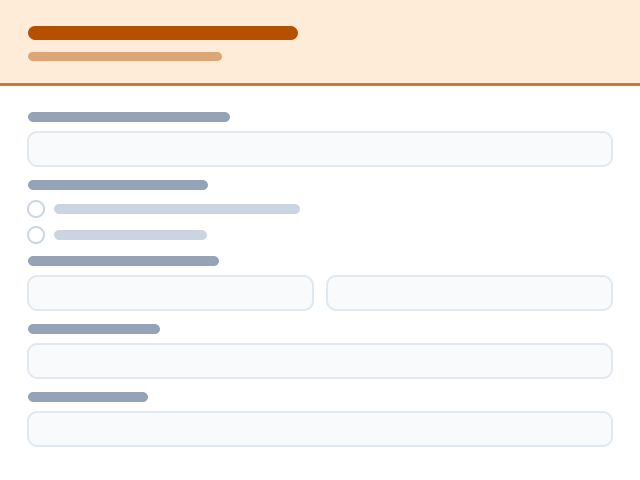
Sign-Up Sheet
Simple sign-up sheet for shifts, slots or tasks — pick a slot, add your details, and it's booked.🤝 Non-Profit & Community10 questionsShort form — 10 questions on a single page.View template
Volunteer Hours Log
Log hours after a shift: date, start and finish times, role and location, tasks done, expenses claimed, anything to report and a supervisor sign-off.🤝 Non-Profit & Community17 questionsShort form — 17 questions on a single page.View template
Board Member Application
Recruit a trustee or board member: skills and governance experience, time commitment, other directorships, conflicts of interest, eligibility and references.🤝 Non-Profit & Community35 questionsMedium length — 35 questions across 3 pages.View template
Quick Volunteer Sign-Up
Four fields to register a willing volunteer before the details are known.🤝 Non-Profit & Community5 questionsQuick to fill — 5 questions on a single page.View template
Donation Receipt Request
Let donors request a tax receipt for a past gift by confirming the date, amount and donor details on file.🤝 Non-Profit & Community10 questionsShort form — 10 questions on a single page.View template
In-Kind Donation
Accept a gift of goods or services, not money: what is being donated, condition and quantity, estimated value, collection or delivery logistics and a receipt.🤝 Non-Profit & Community28 questionsMedium length — 28 questions across 2 pages.View template