Support Plan Meeting Request
Request a meeting about a child's learning support plan: what has changed, what the family wants discussed, who should attend and when they are free.
A ready-to-use education & schools form for schools, tutors and course providers: 25 questions, 2 pages, 4 conditional rules.
- Questions
- 25
- Pages
- 2
- Layouts
- classic
- Time to complete
- ≈ 8 min
- Conditional rules
- 4
Searches this template answers
- iep meeting request form
- support plan meeting request form
- special education meeting request online
- learning plan review request form
- parent meeting request form school
Also filed under
Live preview and test console
This is the real form. Answer it to test the flow — nothing is sent or stored.
Page 1 of 2 — The child and the plan
This template runs as a straight sequence — no branching rules.
Compliance checklist
- Payment items priced — passingEvery payment question charges a real amount, so a submission always records a payment.
- Conditional logic resolves — passingEvery rule points at a question or page that exists in this template.
- Legal text not required — passingThis template collects neither health nor regulated financial information.
- Question labels unique — passingLogic and exports address questions by label, so duplicates are ambiguous.
What happens after submit: nothing is stored in this preview. On your own copy, every response triggers an instant email notification and lands in your response dashboard, ready to export or forward.
Happy with it? Take a copy into your workspace — every question, rule and setting comes with it.
Who this template is for
Support Plan Meeting Request is built for schools, tutors and course providers who need to enrol people and record permissions in one place.
- Schools, tutors and course providers working in education & schools.
- Teams who need to enrol people and record permissions in one place without writing code or paying for a custom build.
- Anyone replacing consent forms chased on paper the week before term with one structured record per enquiry.
- Respondents are students, parents and staff — the form asks them 25 questions across 2 screens.
Why this form is useful
It removes the cost of consent forms chased on paper the week before term and turns each submission into a record your team can act on immediately.
- 20 questions are required, so submissions arrive complete instead of needing a follow-up email.
- It collects a verified email address so replies and confirmations land.
- It captures a phone number for urgent follow-up.
- It accepts a document or photo upload as evidence.
- It pins the request to a specific date.
- It allows multiple selections without free text.
- Conditional logic hides 4 questions until they are relevant — shorter forms convert better than long ones.
- Splitting the form across 2 pages keeps each screen short and shows respondents how much is left.
How to use this template
From copy to live form is a few minutes of work, and every step is reversible.
- 1Press “Use this template” — a fresh copy of Support Plan Meeting Request lands in your workspace, ready to edit.
- 2Rename or delete any question, and change what is required. Nothing here is fixed.
- 3Open Notifications and add the email addresses that should be alerted on each submission; add an auto-reply to the respondent if the form collects an email address.
- 4Check the upload limits on the file question so respondents can attach what you actually need.
- 5Publish it, then either share the link directly or paste the embed snippet into your site — the embedded form resizes to fit and loads no marketing or advertising trackers.
- 6Watch responses land in Submissions, where you can filter, label and export them to CSV or PDF.
Logic and conditions blueprint
Exactly how this form behaves as it is answered — 4 conditional rules ship with it.
- Features conditional validation: if “Is there a support plan in place already?” is Yes, “When it was last reviewed” becomes mandatory before the form can be sent.
- Features conditional validation: if “Do you need an interpreter or any accessibility arrangement?” is Yes, “What is needed” becomes mandatory before the form can be sent.
- Features conditional validation: if “Should an outside professional be invited?” is Yes, “Who, and their role” becomes mandatory before the form can be sent.
- Features conditional validation: if “Would your child like to take part?” is Yes, in the meeting, “When you are usually free” becomes mandatory before the form can be sent.
- All 4 rules are editable in the Logic tab, and the built-in checker warns about rules that contradict each other.
About this template
This form is usually completed by a parent or guardian, sometimes by a teacher, and it exists so a meeting about a child's support plan starts with everyone knowing what it is about. The first page covers the child: name, year group, class teacher, the plan already in place if there is one, and when it was last reviewed. The second page is the substance — what has changed at school or at home, what is working, what is not, and the specific things the family wants discussed, listed as points rather than a paragraph so nothing gets missed on the day. It asks who the family would like present, whether an interpreter or any accessibility arrangement is needed, whether an outside professional should be invited, and when they are available. Two questions make the meeting kinder: whether the child would like to attend or contribute in another way, and whether the family wants any documents shared before the meeting instead of read out on the day.
What this form asks
Every question is editable — rename it, make it optional, or delete it entirely.
Page 1 — The child and the plan
- Child's full namerequired
- Child's date of birthrequired
- Year group or classrequired
- Class teacherrequired
- Your namerequired
- Your relationship to the childrequired
- Your email addressrequired
- Best phone number
- Is there a support plan in place already?required
- When it was last reviewed
- Who is asking for this meeting?required
Page 2 — What to discuss
- What has changed recently, at school or at homerequired
- What is working wellrequired
- What is not workingrequired
- Points you want discussedrequired
- Who you would like presentrequired
- Should an outside professional be invited?required
- Who, and their role
- Would your child like to take part?required
- Do you need an interpreter or any accessibility arrangement?required
- What is needed
- When you are usually freerequired
- How soon do you need this?required
- Would you like documents shared beforehand?required
- Attach anything you would like us to read first
25 questions in total.
Example of a completed support plan meeting request form
A sample request showing how a parent might ask for a review of a child's classroom support.
- Child's full name
- Oliver Bennett
- Year group or class
- Year 4
- Class teacher
- Ms. Harmon
- Is there a support plan in place already?
- Yes
- Points you want discussed
- Extra time for reading tasks, and a review of the seating plan.
- Who you would like present
- Class teacher, Support coordinator
- Would your child like to take part?
- Yes, but in writing or beforehand
- Do you need an interpreter or any accessibility arrangement?
- No
- How soon do you need this?
- Within two weeks
Sample data — no real people, addresses or records are shown.
How the form changes as it's filled in
This template ships with 4 conditional rules, grouped into 4 behaviours driven by 4 questions. Everything below is already set up — edit or delete any rule once the template is in your workspace.
Driven by “Is there a support plan in place already?”
- Makes answers required
If “Is there a support plan in place already?” is Yes, “When it was last reviewed” becomes required before the form can be submitted.
Driven by “Do you need an interpreter or any accessibility arrangement?”
- Makes answers required
If “Do you need an interpreter or any accessibility arrangement?” is Yes, “What is needed” becomes required before the form can be submitted.
Driven by “Should an outside professional be invited?”
- Makes answers required
If “Should an outside professional be invited?” is Yes, “Who, and their role” becomes required before the form can be submitted.
Driven by “Would your child like to take part?”
- Makes answers required
If “Would your child like to take part?” is Yes, in the meeting, “When you are usually free” becomes required before the form can be submitted.
Set it up step by step
- 1
Ask for discussion points as a list
Listed points get covered; a paragraph gets summarised, and the thing the family cared about most is the part that goes missing.
- 2
Send documents in advance
Reading a report aloud in a meeting wastes the time that should be spent deciding what changes.
- 3
Include the child on their terms
Some children want to be there and some would rather write something down. Asking is better than assuming either way.
- 4
Confirm access needs before booking
An interpreter or a step-free room affects which slot works, so it has to be known before the invitation goes out.
Mistakes to avoid
- Booking the meeting before knowing what the family wants discussed, so the agenda belongs to the school alone.
- Not asking about interpreters, then rearranging a meeting that families had already taken time off to attend.
- Treating the plan review as paperwork instead of asking what has changed since it was written.
What it pairs with
Most teams don't run this form on its own. These are the forms and systems it sits next to.
What to do with the responses
Confirm a slot that fits the family's availability, share documents beforehand if asked, circulate the discussion points as the agenda, and send agreed actions in writing afterwards.
Works in this layout
Forms that overlap this one
These pages cover the same subject ground as the support plan meeting request, matched on the words people actually search for.
Transcript Request
academicareclascourseeducation
Parent-Teacher Conference Sign-Up
academicclascoordinatorcourseeducation
PTA Membership
academicclascourseeducationenrollment
Conference Sign-Up Form
academicclascourseeducationenrollment
Recommendation Letter Request
academicclascourseeducationenrollment
Course Withdrawal
academicclascourseeducationenrollment
Privacy & compliance
This form asks about a child. Collect a guardian's consent, keep contact and medical answers to the minimum you actually need, and restrict who on your team can open the responses.
Frequently asked questions
Who fills this in?
Usually a parent or guardian, and sometimes a member of staff. The form asks which, so the meeting is set up with the right expectations.
Is it only for formal plans?
No. It works whether a formal plan exists or a family is asking for support to be looked at for the first time.
Does the child have to attend?
Not at all. The form offers three options, including contributing in writing, so the child takes part in the way that suits them.
How quickly should a school respond?
Set your own timescale and say it on the confirmation. The urgency question tells you which requests should not wait for the next review cycle.
Is the Support Plan Meeting Request template free to use?
Yes. You can preview and test Support Plan Meeting Request on this page without an account, and take a copy into your own HelloForms workspace on the free plan. There is nothing to install and no card required to publish it.
What does the Support Plan Meeting Request template ask for?
It asks 25 questions across 2 pages, 20 of which are required. Every question is listed in full further down this page, and each one can be renamed, reordered, made optional or deleted after you copy the template.
Can I edit the Support Plan Meeting Request form after copying it?
Yes — the copy is entirely yours. Change wording, add or remove questions, switch between the classic layout, restyle it to match your brand, and set who gets notified on each submission.
How does the conditional logic in this education & schools form work?
4 conditional rules ship with the template: Features conditional validation: if “Is there a support plan in place already?” is Yes, “When it was last reviewed” becomes mandatory before the form can be sent. Features conditional validation: if “Do you need an interpreter or any accessibility arrangement?” is Yes, “What is needed” becomes mandatory before the form can be sent. Features conditional validation: if “Should an outside professional be invited?” is Yes, “Who, and their role” becomes mandatory before the form can be sent. All rules are editable in the Logic tab.
Where do responses to the Support Plan Meeting Request form go?
Submissions land in your workspace under Submissions, where you can search, filter, label and export them to CSV or PDF. You can also email a notification to your team on every submission and send the respondent an auto-reply.
Can I embed the Support Plan Meeting Request form on my own website?
Yes. Publish the form and paste the embed snippet into any page or share the direct link. The embedded form resizes to fit its container and loads no advertising or marketing trackers inside the iframe.
Can respondents upload files?
Yes. This template includes a file upload question, so respondents can attach documents or photos with their answers. You can adjust the accepted file types and size limits on that question.
Related templates
More forms teams pair with the support plan meeting request.
Related categories

Course Enrollment Form
Enrolment with programme choice, prior learning, payment preference and terms consent.🎓 Education & Schools14 questionsShort form — 14 questions across 2 pages.View template
Parent Consent & Field Trip Slip
Digital permission slip with medical notes, emergency contacts and a parent signature.🎓 Education & Schools10 questionsShort form — 10 questions on a single page.View template
School Lunch Order
One screen for a week of school lunches: the child, class and week, each day's meal choice, allergies, dietary needs, free-meal status, payment and a contact.🎓 Education & Schools12 questionsShort form — 12 questions on a single page.View template
Exam Registration Form
Register candidates for exam sittings — subject, level, access arrangements and fees.🎓 Education & Schools13 questionsShort form — 13 questions across 2 pages.View template
Assignment Submission Form
Student coursework upload with class, due date, honour pledge and late-submission reason tracking.🎓 Education & Schools11 questionsShort form — 11 questions across 2 pages.View template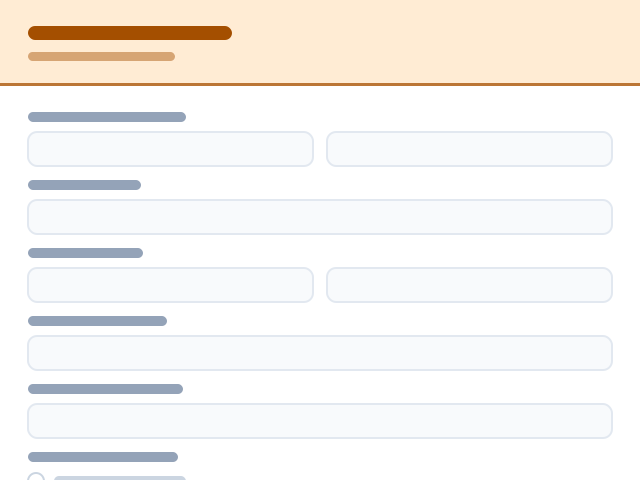
Conference Sign-Up Form
Let parents pick an available time slot for a parent-teacher conference and note any topics to discuss.🎓 Education & Schools12 questionsShort form — 12 questions across 2 pages.View template