Referral Submission Card
Give your team a useful introduction with a short referral card that captures who to contact, why they are a good fit, and whether outreach is welcome.
A ready-to-use card forms form for teams who want a conversational, one-question-at-a-time flow: 10 questions, 1 page, 3 conditional rules.
- Questions
- 10
- Pages
- 1
- Layouts
- classic · card
- Time to complete
- ≈ 3 min
- Conditional rules
- 3
Searches this template answers
- referral submission card
- client referral form
- business referral template
- partner introduction form
- submit a referral
- customer referral card
Also filed under
Live preview and test console
This is the real form. Answer it to test the 2 conditional rules — nothing is sent or stored.
2 questions are hidden by conditional logic right now — change an answer above to reveal them.
Compliance checklist
- Payment items priced — passingEvery payment question charges a real amount, so a submission always records a payment.
- Conditional logic resolves — passingEvery rule points at a question or page that exists in this template.
- Legal text not required — passingThis template collects neither health nor regulated financial information.
- Question labels unique — passingLogic and exports address questions by label, so duplicates are ambiguous.
What happens after submit: nothing is stored in this preview. On your own copy, every response triggers an instant email notification and lands in your response dashboard, ready to export or forward.
Happy with it? Take a copy into your workspace — every question, rule and setting comes with it.
Who this template is for
Referral Submission Card is built for teams who want a conversational, one-question-at-a-time flow who need to keep completion high by asking one thing per screen.
- Teams who want a conversational, one-question-at-a-time flow working in card forms.
- Teams who need to keep completion high by asking one thing per screen without writing code or paying for a custom build.
- Anyone replacing long scrolling forms abandoned halfway with one structured record per enquiry.
- Respondents are anyone answering on a phone — the form asks them 10 questions across 1 screen.
- Mobile-heavy audiences, thanks to the one-question-per-screen card layout.
Why this form is useful
It removes the cost of long scrolling forms abandoned halfway and turns each submission into a record your team can act on immediately.
- 8 questions are required, so submissions arrive complete instead of needing a follow-up email.
- It collects a verified email address so replies and confirmations land.
- Conditional logic hides 3 questions until they are relevant — shorter forms convert better than long ones.
- Every response is stored, searchable and exportable, so nothing depends on one person's inbox.
How to use this template
From copy to live form is a few minutes of work, and every step is reversible.
- 1Press “Use this template” — a fresh copy of Referral Submission Card lands in your workspace, ready to edit.
- 2Rename or delete any question, and change what is required. Nothing here is fixed.
- 3Open Notifications and add the email addresses that should be alerted on each submission; add an auto-reply to the respondent if the form collects an email address.
- 4Publish it, then either share the link directly or paste the embed snippet into your site — the embedded form resizes to fit and loads no marketing or advertising trackers.
- 5Watch responses land in Submissions, where you can filter, label and export them to CSV or PDF.
Logic and conditions blueprint
Exactly how this form behaves as it is answered — 3 conditional rules ship with it.
- Features advanced show logic: if “Contact permission” is They agreed to direct contact, the form dynamically exposes “Referred person's email”. Otherwise that question never appears.
- Features conditional validation: if “Contact permission” is They agreed to direct contact, “Referred person's email” becomes mandatory before the form can be sent.
- Features advanced show logic: if “Contact permission” is Please arrange an introduction, the form dynamically exposes “Introduction notes”. Otherwise that question never appears.
- All 3 rules are editable in the Logic tab, and the built-in checker warns about rules that contradict each other.
About this template
A useful referral explains the connection, not just the contact details. This card gives your team enough context to decide who should follow up, while letting the referrer distinguish an agreed introduction from a name that is not ready for outreach. Keep the referral purpose dropdown short and assign an owner to each option before publishing. Ask for one or two sentences about the person's needs and why your team could help. Avoid requesting background documents or a full profile; those belong in a later conversation with the person themselves. The contact permission question is the key handoff. When direct contact is welcome, the card reveals an email field and makes it required. When the referrer prefers to introduce you, it offers space for timing or coordination notes. Unconfirmed permission should send the referral to a review queue, not an outreach sequence. Treat the answer as the referrer's report, not as proof of consent for unrelated messages. Review submissions for duplicate referrals before assigning follow-up. Acknowledge receipt to the referrer, but do not promise a meeting or acceptance. Once the person responds, move scheduling or onboarding into a separate form so this card stays a quick, focused introduction.
What this form asks
Every question is editable — rename it, make it optional, or delete it entirely.
Make a Referral
- Your namerequired
- Your emailrequired
- Referred person's namerequired
- Their organization
- How you know themrequired
- Referral purposerequired
- Why this connection makes senserequired
- Contact permissionrequired
- Referred person's emailrequired
- Introduction notes
10 questions in total.
A Partner Introduction That Needs Coordination
This fictional submission gives the team a clear reason to follow up through the referrer rather than contacting the prospective partner directly.
- Your name
- Mira Talven
- Referred person's name
- Jonas Pellwick
- Their organization
- Willowstep Workshop
- Referral purpose
- Potential partner
- Why this connection makes sense
- Jonas runs small community workshops and is looking for a team to co-host a beginner session next season.
- Contact permission
- Please arrange an introduction
- Introduction notes
- Email me first. I can check his availability and introduce you both in one thread.
How the form changes as it's filled in
This template ships with 3 conditional rules, grouped into 3 behaviours driven by 1 question. Everything below is already set up — edit or delete any rule once the template is in your workspace.
Driven by “Contact permission”
- Reveals questions
If “Contact permission” is They agreed to direct contact, the form reveals “Referred person's email”.
- Makes answers required
If “Contact permission” is They agreed to direct contact, “Referred person's email” becomes required before the form can be submitted.
- Reveals questions
If “Contact permission” is Please arrange an introduction, the form reveals “Introduction notes”.
Set it up step by step
- 1
Give each referral purpose an owner
Replace the purpose options with the routes your team actually uses. Assign someone to review “Not sure yet” so uncertain referrals do not sit unattended.
- 2
Test all three permission paths
Direct contact should reveal and require the referred person's email. An introduction should reveal optional notes, while unconfirmed permission should request neither field.
- 3
Keep notifications permission-aware
Send receipt confirmations to the referrer. Keep the referred person out of automated outreach unless the direct-contact answer is selected and your team has reviewed the submission.
- 4
Check for an existing conversation
Before assigning follow-up, search your referral tracker for the person's name, organization, and any supplied email. Add useful context to an existing record instead of starting parallel outreach.
Mistakes to avoid
- Requiring the referred person's email on every path, even when permission has not been confirmed.
- Collecting a name without asking why the introduction is relevant.
- Automatically treating a submitted referral as an accepted client or confirmed partnership.
What it pairs with
Most teams don't run this form on its own. These are the forms and systems it sits next to.
What to do with the responses
Acknowledge the referral to its sender, then assign an owner to check fit, duplicates, and the selected contact path. Coordinate introductions through the referrer when direct outreach has not been agreed.
Works in both layouts
Forms that overlap this one
These pages cover the same subject ground as the referral submission card, matched on the words people actually search for.
Customer Referral Form
captureclientcontactcustomerlead
Customer Pulse Card
bycardconversationalcustomerguided
New Client Onboarding Card
bycardclientconversationalguided
Price Match Request Card
bycardconversationalcustomergive
Demo Follow-Up Request Card
bycardcontactconversationalgive
Product Recall Response Card
bycardconversationalcoordinatorcustomer
Frequently asked questions
Can someone submit a referral without the person's email?
Yes. The email is needed only when “They agreed to direct contact” is selected. The other paths let your team work through the referrer instead.
What should happen when permission is not confirmed?
Keep the submission in review and contact the referrer for clarification. Do not use the referral as a trigger to search for the person's details and contact them anyway.
Can this card book the first meeting?
Keep booking separate. After the person agrees to a conversation, send the Appointment Request Card to collect their own availability.
Should we include a referral reward question?
Only if you run a defined reward program. Keep reward eligibility and tracking separate from the introduction details so the card does not imply that every submission earns a reward.
Is the Referral Submission Card template free to use?
Yes. You can preview and test Referral Submission Card on this page without an account, and take a copy into your own HelloForms workspace on the free plan. There is nothing to install and no card required to publish it.
What does the Referral Submission Card template ask for?
It asks 10 questions across 1 page, 8 of which are required. Every question is listed in full further down this page, and each one can be renamed, reordered, made optional or deleted after you copy the template.
Can I edit the Referral Submission Card form after copying it?
Yes — the copy is entirely yours. Change wording, add or remove questions, switch between the classic and card layouts, restyle it to match your brand, and set who gets notified on each submission.
How does the conditional logic in this card forms form work?
3 conditional rules ship with the template: Features advanced show logic: if “Contact permission” is They agreed to direct contact, the form dynamically exposes “Referred person's email”. Otherwise that question never appears. Features conditional validation: if “Contact permission” is They agreed to direct contact, “Referred person's email” becomes mandatory before the form can be sent. Features advanced show logic: if “Contact permission” is Please arrange an introduction, the form dynamically exposes “Introduction notes”. Otherwise that question never appears. All rules are editable in the Logic tab.
Where do responses to the Referral Submission Card form go?
Submissions land in your workspace under Submissions, where you can search, filter, label and export them to CSV or PDF. You can also email a notification to your team on every submission and send the respondent an auto-reply.
Can I embed the Referral Submission Card form on my own website?
Yes. Publish the form and paste the embed snippet into any page or share the direct link. The embedded form resizes to fit its container and loads no advertising or marketing trackers inside the iframe.
Related templates
More forms teams pair with the referral submission card.
Related categories

Stock Alert Signup Card
Let shoppers request a restock alert for the exact product and variant they want, with clear notification preferences and no promise of reserved stock.🃏 Card Forms9 questionsShort form — 9 questions on a single page.View template
Warranty Registration Card
Give customers a quick way to register a product, record its serial number and purchase date, and send proof of purchase for easier warranty follow-up.🃏 Card Forms10 questionsShort form — 10 questions across 2 pages.View template
Demo Follow-Up Request Card
Give demo attendees a quick way to request answers, evaluation materials, or another walkthrough, so your team can follow up with a useful next step.🃏 Card Forms10 questionsShort form — 10 questions on a single page.View template
Product Recall Response Card
Help customers identify recalled products, confirm affected units, and request the next step without making them repeat details already in your notice.🃏 Card Forms13 questionsShort form — 13 questions across 2 pages.View template
Price Match Request Card
Give shoppers a simple way to share a lower advertised price, link the exact product, and send your team the evidence needed to review a matching offer.🃏 Card Forms14 questionsShort form — 14 questions on a single page.View template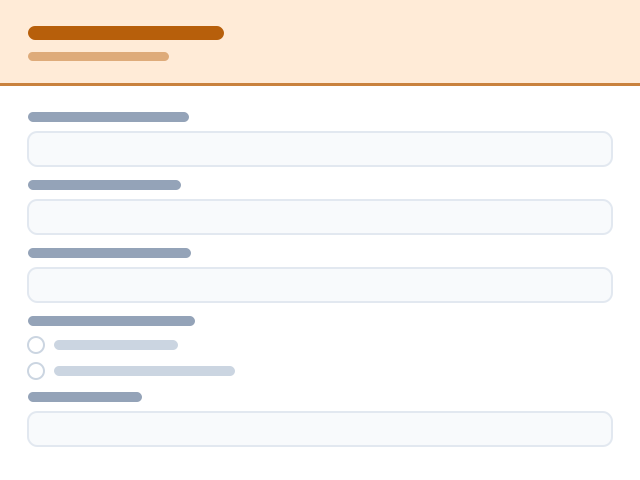
Child Care Center Enrollment Form
Collect everything you need to open a child's file: guardians, schedule, health basics and pick-up authority.🧸 Daycare Forms27 questionsMedium length — 27 questions across 3 pages.View template